

Interpretation shapes perception, and the same principle applies to security in organizations, which is far from an exact science. Security embodies a broad spectrum of colours, and each company must choose the one that best reflects its character. It stands as a cultural mindset that extends from leadership to every team, influenced by both executive and technical management.
Sometimes, raising security levels requires making decisions that change how teams operate, and this is where that mindset becomes essential. Since technology evolves continuously, security does as well, although its changes are not inherently negative. They may demand an initial effort, but they can pay off in the long run. However, to recognise their value, it’s essential to maintain a clear vision and understand what lies beyond the immediate effort.
To put it in practical terms, today it's far easier to integrate security into applications when there is a complete SDLC fully automated within a CI/CD pipeline. A few years ago, the idea of creating a streamlined pipeline to enhance security might not have been viewed as practical, but now it’s a game changer. The reason is simple: strong and effective security checks can be seamlessly integrated, and teams that still rely on manual or fragmented workflows find it much harder to embed security, resulting in slower and less efficient delivery processes. Plus, looking ahead, AI will increasingly contribute to add and govern more of these controls.
That’s why I am drawn to organisations that treat security not as a checklist but as a core element of their identity, being taken into account in every decision from architecture to delivery. I had to defend security projects when the vision wasn’t shared at all, and despite much persistence, it was only on rare occasions that I saw a leader’s opinion shift. It was very frustrating for me. I found it extremely hard to change someone’s mind when security is seen as necessary but just a little more than costly and irritating, a colour I would not choose from the spectrum mentioned before.
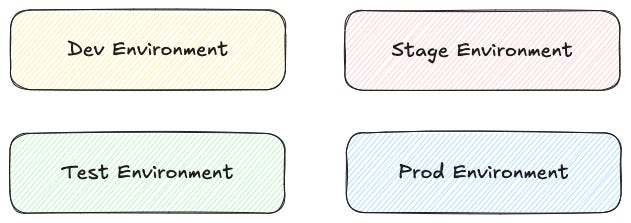
Entering the technical section of this post, it’s important to notice that the key is not how many environments are defined or how they are named and used within the SDLC, but what is expected from each and which actions are permitted or restricted. These are simply my references based on my experience, which I hope you find descriptive and useful.
Understanding RTEs
A runtime environment is the space where a program or application runs, considering both the hardware and software infrastructure required for executing the code in real-time.
In DevOps, runtime environments encompass all infrastructure and configurations involved in executing applications throughout their entire lifecycle. These environments typically include development, test, staging, and production environments, each serving a specific purpose in the software delivery pipeline:
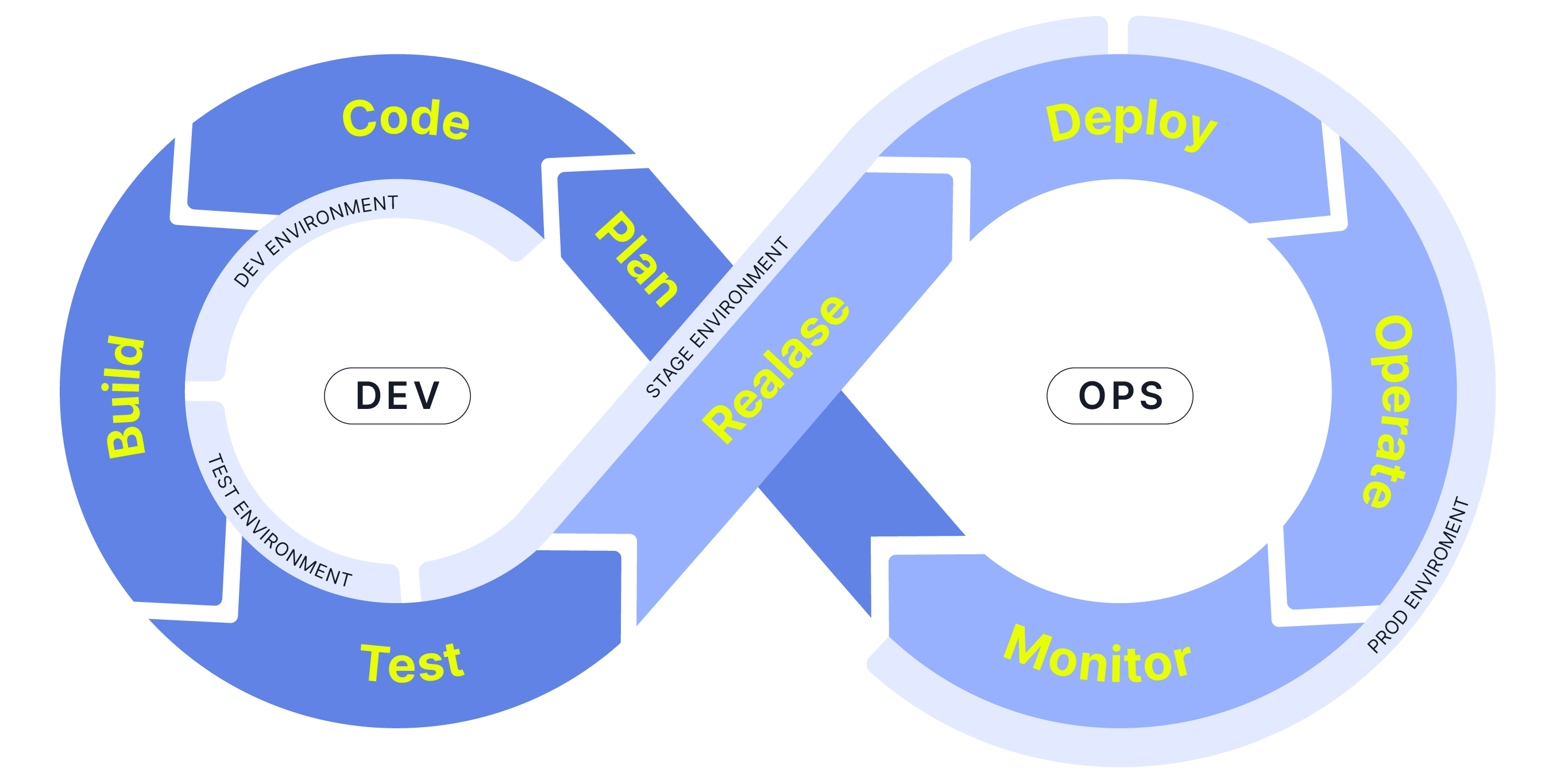
Managing and maintaining consistent and reliable runtime environments is crucial for ensuring the security, stability, scalability, and performance of applications as they progress from development to deployment serving end users.
Development Environment
The development environment is the first environment in software development which acts as the workspace for developers to do programming and other operations related to the creation of software. It covers from the first lines of code to all code updates. As the name suggests, this is where the development of the software takes place.
Part of the development environment also includes the Integrated Development Environment (IDE), which is a software package with extensive functions for authoring, building, testing, and debugging a program that is commonly used by software developers running on its own workstation. Common IDEs are Visual Studio Code, IntelliJ IDEA, Cursor, etc.
Test Environment
A test environment allows testing engineers to analyse new and changed code whether via automated or non-automated techniques. Using tests environment testers make sure that the new code will not have any impact on the existing functionality. They also ensure the quality of the code by finding any bugs and reviewing all bug fixes.
The primary focus here is testing individual components rather than the entire application, aiming to verify compatibility between old and new code. Different types of testing suggest different types of test environments, some or all of which may be virtualized to allow rapid, parallel testing to take place.
Staging Environment
A staging or pre-production environment is a nearly exact replica of the production environment, aiming to closely mirror the actual production environment to ensure the software works correctly.
The focus here is to test the application or software as a whole. This is where you can conduct deep tests to ensure that no problems come up in production and limit negative impact on users. Another key purpose of staging is performance testing, especially load testing, since it is often highly sensitive to environmental factors.
Depending on any regulatory factors (such as GDPR requirements) and the organization’s level of ability to anonymize data, a staging environment may include not only fake but also anonymized or complete sets of production data to closely replicate the real-world production environment.
Access to the staging environment is often limited to a small group of individuals. Only those with whitelisted emails or specific network addresses, along with the developer team, have access the application in staging.
Isolating the staging and production environments on two separate clusters and VPCs is a good practice to avoid any potential issues on production caused by the staging environment. This is not a mandatory step, but it is well recommended.
How to create a Staging Environment
Create a staging environment from scratch.
Clone the production environment and create a staging environment from it.
What is the difference between Test Environment and Staging Environment
The main difference between a staging environment and a testing environment is the level of similarities to the production environment.
In a staging environment, every element is updated to the latest version, closely reflecting the live site except for the changes recently pushed to the development environment. This configuration ensures that new changes are tested thoroughly to avoid unexpected disruptions when deployed to the production environment.
In a testing environment, there isn’t a strict need to update every element to match the production environment. Testing here is more targeted, focusing on specific code changes rather than a full system test, and it operates on assumptions about how other parts of the system function. This approach speeds up the testing process, as there’s no requirement to fully replicate the production setup, unlike in a staging environment.
Production Environment
A production or live environment is where it runs on a production instance and is officially available to real users.
When deploying a new release to production, rather than immediately deploying to all users, the release should be deployed in phases to a segment of users first to see how it performs to catch and fix any additional bugs before deploying to the rest of the users.
Showing How This Works in Practice
To make it easier to understand the purpose of environment definitions, I created a Git repository with a minimal web application configured under a CI/CD pipeline, on GitLab, for automatic deployment to Google Cloud. It will later integrate SCA, SAST, and DAST security practices in the following upcoming posts.
👉 This is the link to the repository.
I encourage you to take a closer look. Let’s bring things to the arena, gladiators!
Reading Picks
Here are a few articles I found valuable in recent weeks:
The GRC Engineer’s Toolkit - How To Turn Compliance Into Code by Taimur Ijlal
Success = (number of attempts) × (probability of success each time) by Adlet Balzhanov
📖 I just bought the book Alice and Bob Learn Secure Coding! by Tanya Janca.